Free Template · XLSX · 7 sheets

    Buyer Dashboard: Daily Procurement Management 2026

    The Excel tool every procurement professional needs to open every day. 7 interconnected sheets with automatic KPIs, supplier scorecard and visual traffic lights — ready to use in 5 minutes.

    Schedule demo

    No forms · 100% free · Direct download

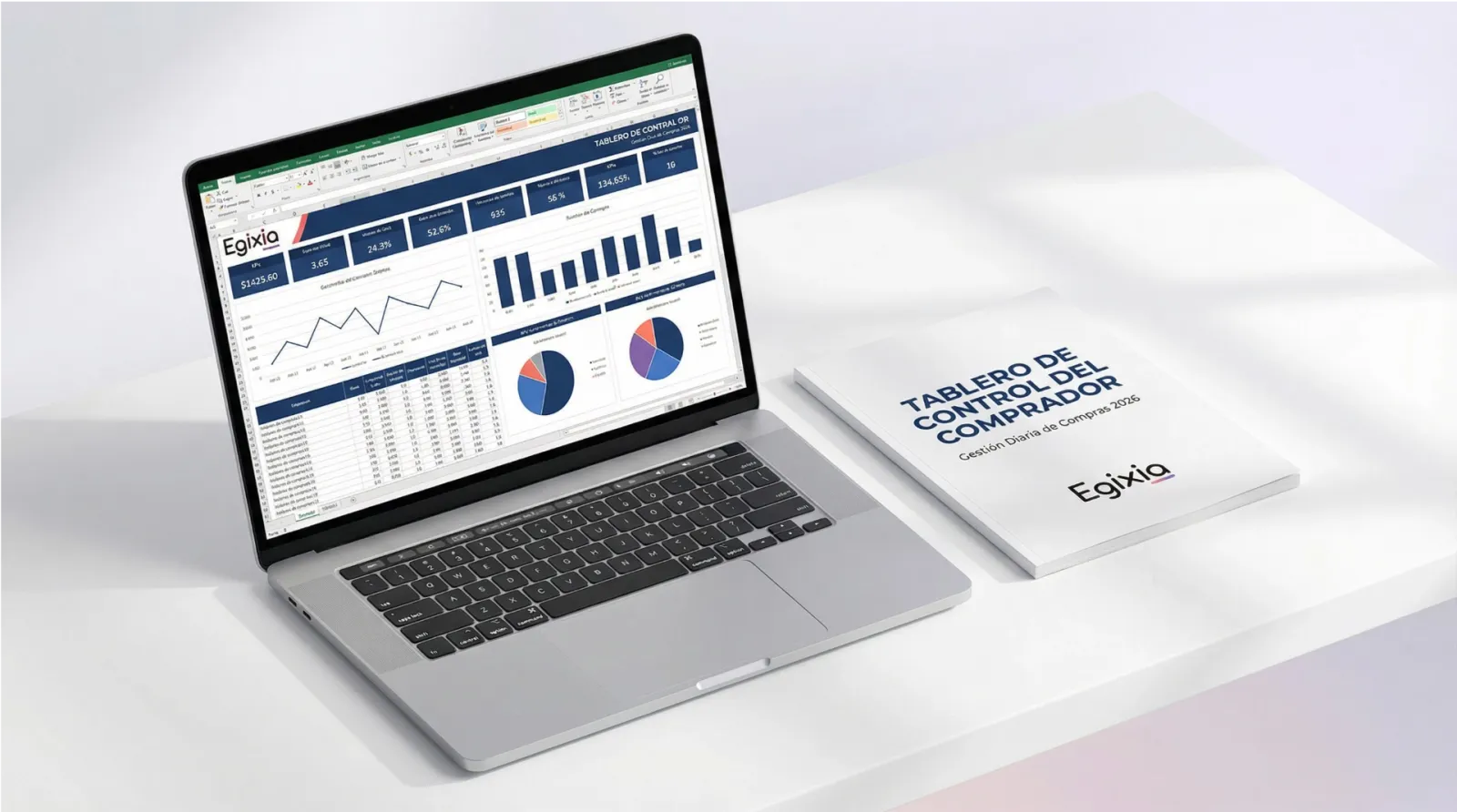
    Cover Buyer Dashboard — Excel Template Egixia

    Procurement dashboard Excel template free download: why you need it

    A procurement professional manages dozens of orders, suppliers, negotiations and deadlines simultaneously. Without a centralized daily control tool, information gets fragmented across emails, ERPs and loose spreadsheets — creating compliance risks, missed savings opportunities and lack of visibility for management.

    This Buyer Dashboard solves that problem with a professional Excel template designed specifically for day-to-day procurement. KPIs are calculated automatically, visual traffic lights prioritize urgencies and the supplier scorecard standardizes evaluation — all without relying on additional software.

    Designed for buyers, procurement analysts, supply coordinators and procurement managers in Latin American companies looking to professionalize their daily management without unnecessary complexity.

    What does the dashboard include? 7 interconnected sheets

    Dashboard

    Command center with automatic KPIs: open POs, pending deliveries, accumulated savings and urgent alerts — all at a glance.

    Purchase Orders

    PO tracker with statuses, delivery dates, remaining days and billing status. Automatic traffic light for prioritization.

    Supplier Scorecard

    Weighted automatic rating: Delivery (30%), Quality (25%), Price (25%) and Documentation (20%). Total score calculated.

    Negotiations

    Active negotiations pipeline with current spend vs. estimated savings, responsible party and status of each negotiation.

    Expirations

    Calendar of contracts, policies and certifications. Remaining days with automatic traffic light (red/yellow/green).

    Savings Log

    Documentation of achieved savings by category and type. Evidence to report value to management.

    Instructions

    Complete user guide for quick onboarding. Includes customization tips and best practices.

    Technical features

    Automatic formulas

    Dashboard KPIs are calculated automatically by reading the other sheets. No manual intervention.

    Dropdown lists

    PO status, priority and savings type with data validation to prevent input errors.

    Conditional formatting

    Automatic traffic light: red = urgent, yellow = attention, green = OK. Instant visibility.

    Sample data

    10 POs, 10 suppliers, 8 negotiations, 10 expirations and 7 savings entries ready to explore.

    Frequently asked questions about the Buyer Dashboard

    What does the Buyer Dashboard include?

    It includes 7 interconnected sheets: Dashboard with automatic KPIs, purchase order tracker, supplier scorecard with weighted rating, negotiation pipeline, expiration calendar with traffic light, savings log and instruction guide.

    Do I need advanced Excel skills?

    No. The dashboard includes dropdown lists, automatic formulas, conditional formatting with traffic lights, realistic sample data and an instruction sheet for quick onboarding.

    Is it free?

    Yes, 100% free, no forms and no registration. At Egixia we believe practical tools should be accessible to all procurement professionals in LATAM.

    Download the complete dashboard — it's free

    No forms, no registration. All our resources are 100% free because we believe knowledge should be accessible to all procurement professionals in LATAM.

    🙏 Found it useful? Help us reach more procurement professionals by following us on LinkedIn.

    Follow Egixia on LinkedIn

    Want to automate all this with AI?

    Egixia digitizes and automates your entire purchasing cycle: from supplier management to invoice payment, with AI agents working 24/7.

    Schedule strategic demo